
BigCommerce shipping integration to scale UK delivery
Connect Sendcloud with BigCommerce to streamline shipping, cut manual work, and offer UK and international delivery options that help you convert more.
100+ integrations available
Discounted shipping rates
Cancel anytime
4.6 Shopify App Store
4.6 G2
4.3 Trustpilot


Why BigCommerce merchants choose Sendcloud
Smart shipping with BigCommerce
As your BigCommerce orders grow, juggling couriers and storefronts slows fulfilment. Sendcloud centralises shipping, syncs HS codes and order data, and updates statuses in BigCommerce so you scale across the UK and abroad with fewer errors.

Import BigCommerce orders automatically
Create shipping zones per country
Manage orders from multiple storefronts
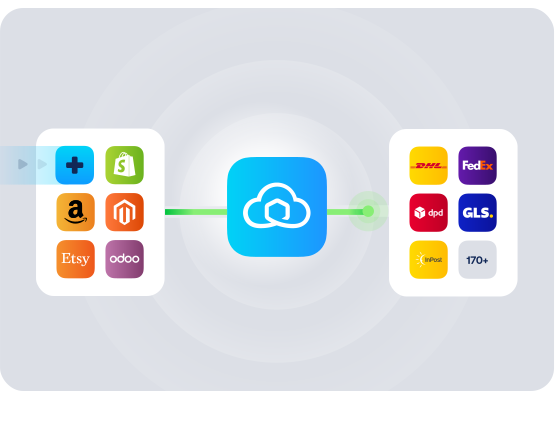
HOW TO CONNECT
A simple 3-step flow:
Run your shipping operations from one place.
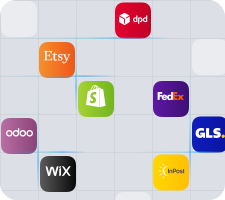
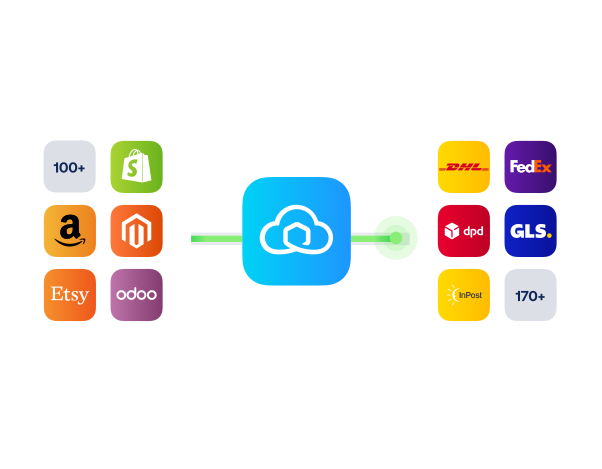
Connect your platforms and systems
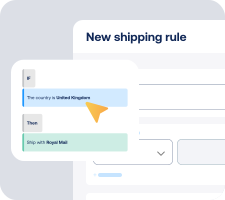
Choose couriers and automate shipping rules
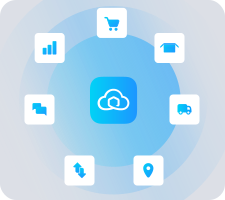
Manage shipping, tracking, and returns in one platform

Get the most out of BigCommerce with Sendcloud
Grow your business
Expand from the UK to new markets with country-specific shipping zones.

Ship more efficiently
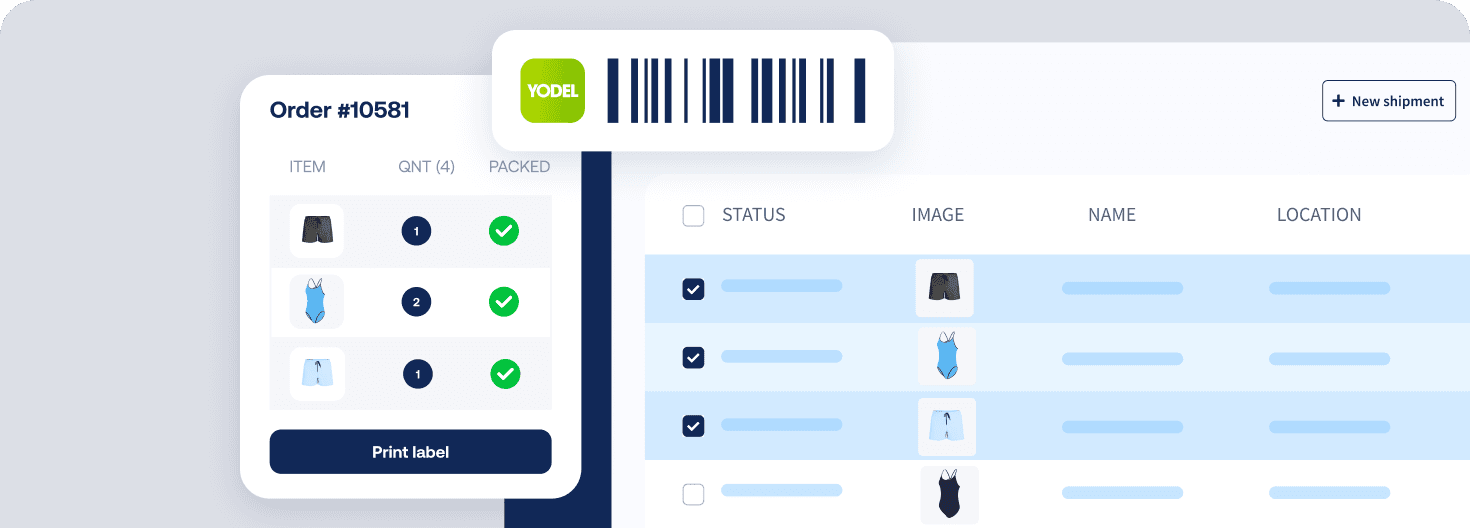
Speed up fulfilment by syncing BigCommerce orders and automating labels.
Deliver great experiences
Offer home, service point, and international delivery options at checkout.

Resolve shipping issues faster
Surface tracking in BigCommerce to answer delivery questions faster.


WHAT OUR CUSTOMERS SAY
From hours to seconds
“Before Sendcloud, we used to waste hours each week manually typing in orders. Now, we can match up the order sheet with the labels in seconds.”

50%
faster order processing
90%
reduction in shipping errors
MULTI-CARRIER STRATEGY
BigCommerce shipping with the couriers your customers expect
Offer a variety of BigCommerce shipping options at checkout, switch couriers when networks are busy, and keep costs competitive across the UK and EU from one platform.



How fast can I set up the BigCommerce shipping integration and what effort is involved?
You can connect BigCommerce to Sendcloud in under 5 minutes with no development needed. Install the Sendcloud BigCommerce shipping app from your BigCommerce marketplace, log in to your Sendcloud account, and click Connect. Your unfulfilled orders from the last 30 days will sync automatically and new orders will start importing right away.
For a step-by-step walkthrough, see the BigCommerce integration guide.
What features are supported with this integration?
When you connect your BigCommerce shop to Sendcloud, you get powerful BigCommerce shipping software that automates shipping with BigCommerce from checkout to delivery and returns. Highlights include:
Instant order import via webhook, plus a scheduler fallback (every 5 minutes when active, ~90 minutes when inactive)
30-day backfill of unfulfilled orders on connection
Order updates sync for unprocessed orders, with status updates back to BigCommerce once a label is created or the parcel is scanned
Track and trace numbers sent back to BigCommerce automatically
EAN and SKU import to enable fast scanning and Pack & Go picking
Parcel weight and item dimensions import
Product images and parcel items imported for clearer packing
Order notes/comments import from the buyer
Multi-currency support — orders import in the currency used at checkout
Service point map to offer pickup location delivery as a BigCommerce shipping option
Checkout method field import to drive precise shipping rules
Shipping rules to automate method selection when labels are created
Order splitting to ship items separately when needed
International shipping data import: HS codes, country of origin, customs invoice number, and shipment type, plus ICS2-related fields
Multi-storefront support — manage multiple shops from one admin, install per store or globally
Order API v3 compliant for access to the latest capabilities
Will it work with my current checkout and BigCommerce shipping options?
Yes. You can keep your existing setup and simply match shipping methods between BigCommerce and Sendcloud. If you want to add pickup locations, you can enable the service point delivery option so customers can choose a nearby collection point on a map at checkout. You can configure simple or advanced shipping methods in the Sendcloud app, set the name and price your shoppers see, and assign them to a specific shipping zone per country.
See how to enable service points in BigCommerce in the Service Points for BigCommerce guide.
How are orders, statuses, and tracking synced between BigCommerce and Sendcloud?
Order data flows both ways so you avoid manual updates:
Import speed: New orders import instantly via webhook. If the webhook cannot run, the scheduler imports roughly every 5 minutes when you are active in Sendcloud, or about every 90 minutes when inactive.
Backfill: On first connection, unfulfilled orders from the past 30 days appear in Incoming orders.
Editable until labelled: Changes you make to unprocessed orders in BigCommerce sync to the shipment in Sendcloud. Once a label is created, the shipment is locked.
Status + tracking: When you create a label in Sendcloud (or after a courier scan), the order status in BigCommerce updates and the track and trace number is posted back automatically.
Does it support BigCommerce international shipping and customs for UK merchants?
Yes. The integration is built for cross-border. It imports customs-critical data to help you generate compliant documentation and speed up export workflows:
HS codes and country of origin import from native or mapped custom fields
ICS2-related customs information for improved data quality
Customs invoice number and shipment type import
Multi-currency support so order values import exactly as paid at checkout
This makes BigCommerce international shipping smoother from the UK to the EU and worldwide while keeping your data consistent across systems.
Can it handle multiple storefronts and growing order volumes?
Yes. The BigCommerce shipping integration scales with you:
Multi-storefront: Manage multiple shops from one admin. Install per store or at a global level depending on how you run your catalogue and fulfilment.
Operational efficiency: Use EAN and SKU imports with Pack & Go for faster scanning and fewer picking errors.
Order splitting: Ship part of an order now and the rest later, ideal for backorders or multi-warehouse setups.
Automation: Apply shipping rules to route orders to the right BigCommerce shipping options and services at label time.
How do BigCommerce shipping rates work at checkout, and what does it cost to start?
You control the BigCommerce shipping rates your customers see. In the Sendcloud app, create simple or advanced methods, set the name and price shown at checkout, and assign each method to a shipping zone per country. Sendcloud then uses your shipping rules and order data to select the right service when you create the label.
Getting started is low risk: the minimum Sendcloud plan required for this integration is Free, and it is available in the UK. You can install the app, test your flow, and upgrade any time as your volumes grow.
How fast can I set up the BigCommerce shipping integration and what effort is involved?
You can connect BigCommerce to Sendcloud in under 5 minutes with no development needed. Install the Sendcloud BigCommerce shipping app from your BigCommerce marketplace, log in to your Sendcloud account, and click Connect. Your unfulfilled orders from the last 30 days will sync automatically and new orders will start importing right away.
For a step-by-step walkthrough, see the BigCommerce integration guide.
What features are supported with this integration?
When you connect your BigCommerce shop to Sendcloud, you get powerful BigCommerce shipping software that automates shipping with BigCommerce from checkout to delivery and returns. Highlights include:
Instant order import via webhook, plus a scheduler fallback (every 5 minutes when active, ~90 minutes when inactive)
30-day backfill of unfulfilled orders on connection
Order updates sync for unprocessed orders, with status updates back to BigCommerce once a label is created or the parcel is scanned
Track and trace numbers sent back to BigCommerce automatically
EAN and SKU import to enable fast scanning and Pack & Go picking
Parcel weight and item dimensions import
Product images and parcel items imported for clearer packing
Order notes/comments import from the buyer
Multi-currency support — orders import in the currency used at checkout
Service point map to offer pickup location delivery as a BigCommerce shipping option
Checkout method field import to drive precise shipping rules
Shipping rules to automate method selection when labels are created
Order splitting to ship items separately when needed
International shipping data import: HS codes, country of origin, customs invoice number, and shipment type, plus ICS2-related fields
Multi-storefront support — manage multiple shops from one admin, install per store or globally
Order API v3 compliant for access to the latest capabilities
Will it work with my current checkout and BigCommerce shipping options?
Yes. You can keep your existing setup and simply match shipping methods between BigCommerce and Sendcloud. If you want to add pickup locations, you can enable the service point delivery option so customers can choose a nearby collection point on a map at checkout. You can configure simple or advanced shipping methods in the Sendcloud app, set the name and price your shoppers see, and assign them to a specific shipping zone per country.
See how to enable service points in BigCommerce in the Service Points for BigCommerce guide.
How are orders, statuses, and tracking synced between BigCommerce and Sendcloud?
Order data flows both ways so you avoid manual updates:
Import speed: New orders import instantly via webhook. If the webhook cannot run, the scheduler imports roughly every 5 minutes when you are active in Sendcloud, or about every 90 minutes when inactive.
Backfill: On first connection, unfulfilled orders from the past 30 days appear in Incoming orders.
Editable until labelled: Changes you make to unprocessed orders in BigCommerce sync to the shipment in Sendcloud. Once a label is created, the shipment is locked.
Status + tracking: When you create a label in Sendcloud (or after a courier scan), the order status in BigCommerce updates and the track and trace number is posted back automatically.
Does it support BigCommerce international shipping and customs for UK merchants?
Yes. The integration is built for cross-border. It imports customs-critical data to help you generate compliant documentation and speed up export workflows:
HS codes and country of origin import from native or mapped custom fields
ICS2-related customs information for improved data quality
Customs invoice number and shipment type import
Multi-currency support so order values import exactly as paid at checkout
This makes BigCommerce international shipping smoother from the UK to the EU and worldwide while keeping your data consistent across systems.
Can it handle multiple storefronts and growing order volumes?
Yes. The BigCommerce shipping integration scales with you:
Multi-storefront: Manage multiple shops from one admin. Install per store or at a global level depending on how you run your catalogue and fulfilment.
Operational efficiency: Use EAN and SKU imports with Pack & Go for faster scanning and fewer picking errors.
Order splitting: Ship part of an order now and the rest later, ideal for backorders or multi-warehouse setups.
Automation: Apply shipping rules to route orders to the right BigCommerce shipping options and services at label time.
How do BigCommerce shipping rates work at checkout, and what does it cost to start?
You control the BigCommerce shipping rates your customers see. In the Sendcloud app, create simple or advanced methods, set the name and price shown at checkout, and assign each method to a shipping zone per country. Sendcloud then uses your shipping rules and order data to select the right service when you create the label.
Getting started is low risk: the minimum Sendcloud plan required for this integration is Free, and it is available in the UK. You can install the app, test your flow, and upgrade any time as your volumes grow.
How fast can I set up the BigCommerce shipping integration and what effort is involved?
You can connect BigCommerce to Sendcloud in under 5 minutes with no development needed. Install the Sendcloud BigCommerce shipping app from your BigCommerce marketplace, log in to your Sendcloud account, and click Connect. Your unfulfilled orders from the last 30 days will sync automatically and new orders will start importing right away.
For a step-by-step walkthrough, see the BigCommerce integration guide.
What features are supported with this integration?
When you connect your BigCommerce shop to Sendcloud, you get powerful BigCommerce shipping software that automates shipping with BigCommerce from checkout to delivery and returns. Highlights include:
Instant order import via webhook, plus a scheduler fallback (every 5 minutes when active, ~90 minutes when inactive)
30-day backfill of unfulfilled orders on connection
Order updates sync for unprocessed orders, with status updates back to BigCommerce once a label is created or the parcel is scanned
Track and trace numbers sent back to BigCommerce automatically
EAN and SKU import to enable fast scanning and Pack & Go picking
Parcel weight and item dimensions import
Product images and parcel items imported for clearer packing
Order notes/comments import from the buyer
Multi-currency support — orders import in the currency used at checkout
Service point map to offer pickup location delivery as a BigCommerce shipping option
Checkout method field import to drive precise shipping rules
Shipping rules to automate method selection when labels are created
Order splitting to ship items separately when needed
International shipping data import: HS codes, country of origin, customs invoice number, and shipment type, plus ICS2-related fields
Multi-storefront support — manage multiple shops from one admin, install per store or globally
Order API v3 compliant for access to the latest capabilities
Will it work with my current checkout and BigCommerce shipping options?
Yes. You can keep your existing setup and simply match shipping methods between BigCommerce and Sendcloud. If you want to add pickup locations, you can enable the service point delivery option so customers can choose a nearby collection point on a map at checkout. You can configure simple or advanced shipping methods in the Sendcloud app, set the name and price your shoppers see, and assign them to a specific shipping zone per country.
See how to enable service points in BigCommerce in the Service Points for BigCommerce guide.
How are orders, statuses, and tracking synced between BigCommerce and Sendcloud?
Order data flows both ways so you avoid manual updates:
Import speed: New orders import instantly via webhook. If the webhook cannot run, the scheduler imports roughly every 5 minutes when you are active in Sendcloud, or about every 90 minutes when inactive.
Backfill: On first connection, unfulfilled orders from the past 30 days appear in Incoming orders.
Editable until labelled: Changes you make to unprocessed orders in BigCommerce sync to the shipment in Sendcloud. Once a label is created, the shipment is locked.
Status + tracking: When you create a label in Sendcloud (or after a courier scan), the order status in BigCommerce updates and the track and trace number is posted back automatically.
Does it support BigCommerce international shipping and customs for UK merchants?
Yes. The integration is built for cross-border. It imports customs-critical data to help you generate compliant documentation and speed up export workflows:
HS codes and country of origin import from native or mapped custom fields
ICS2-related customs information for improved data quality
Customs invoice number and shipment type import
Multi-currency support so order values import exactly as paid at checkout
This makes BigCommerce international shipping smoother from the UK to the EU and worldwide while keeping your data consistent across systems.
Can it handle multiple storefronts and growing order volumes?
Yes. The BigCommerce shipping integration scales with you:
Multi-storefront: Manage multiple shops from one admin. Install per store or at a global level depending on how you run your catalogue and fulfilment.
Operational efficiency: Use EAN and SKU imports with Pack & Go for faster scanning and fewer picking errors.
Order splitting: Ship part of an order now and the rest later, ideal for backorders or multi-warehouse setups.
Automation: Apply shipping rules to route orders to the right BigCommerce shipping options and services at label time.
How do BigCommerce shipping rates work at checkout, and what does it cost to start?
You control the BigCommerce shipping rates your customers see. In the Sendcloud app, create simple or advanced methods, set the name and price shown at checkout, and assign each method to a shipping zone per country. Sendcloud then uses your shipping rules and order data to select the right service when you create the label.
Getting started is low risk: the minimum Sendcloud plan required for this integration is Free, and it is available in the UK. You can install the app, test your flow, and upgrade any time as your volumes grow.
Get started with the BigCommerce shipping app to scale delivery
100+ integrations available
Discounted shipping rates
Cancel anytime
Get started with the BigCommerce shipping app to scale delivery
100+ integrations available
Discounted shipping rates
Cancel anytime
Get started with the BigCommerce shipping app to scale delivery
100+ integrations available
Discounted shipping rates
Cancel anytime
Product
Solutions
Integrations
© 2026 Sendcloud. All Rights Reserved
Chamber of Commerce: 66572959
VAT number: NL856613897B01
Product
Integrations
Solutions
Resources
© 2026 Sendcloud. All Rights Reserved
Chamber of Commerce: 66572959
VAT number: NL856613897B01
Product
© 2026 Sendcloud. All Rights Reserved
Chamber of Commerce: 66572959
VAT number: NL856613897B01