
Lightspeed shipping integration for retail growth
Connect Lightspeed with Sendcloud to automate shipping, cut manual tasks, unlock discounted courier rates, and keep orders moving from checkout to delivery.
100+ integrations available
Discounted shipping rates
Cancel anytime
4.6 Shopify App Store
4.6 G2
4.3 Trustpilot


Why Lightspeed merchants choose Sendcloud
Smart shipping with Lightspeed
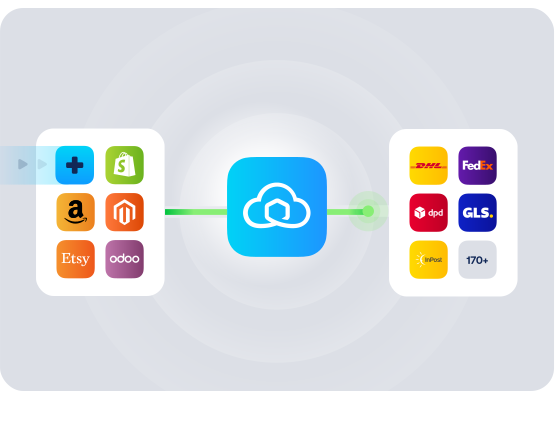
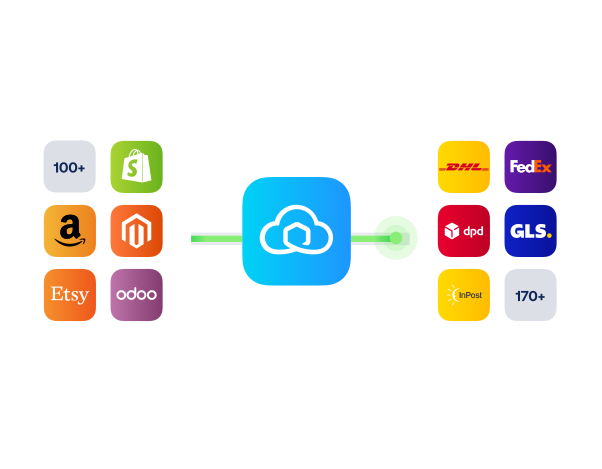
As your Lightspeed store scales, shipping gets messy with siloed orders, manual labels, and limited delivery choices. Sendcloud centralises fulfilment and connects you to 170+ couriers, so you ship faster, cut errors, and grow without adding complexity.

Keep order and delivery statuses in sync between systems
Create customs documents from Lightspeed order data
Enable service point delivery in the Lightspeed checkout
HOW TO CONNECT
A simple 3-step flow:
Run your shipping operations from one place.
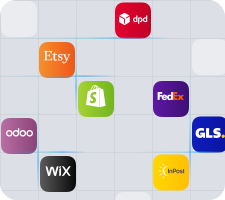
Connect your platforms and systems
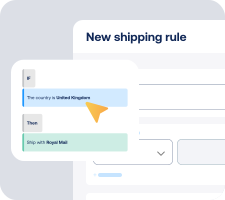
Choose couriers and automate shipping rules
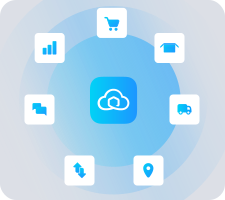
Manage shipping, tracking, and returns in one platform

Get the most out of Lightspeed with Sendcloud
Grow your business
Reach new markets by linking Lightspeed to more delivery options.

Ship more efficiently
Speed up fulfilment from Lightspeed with automated labels and Pack & Go.
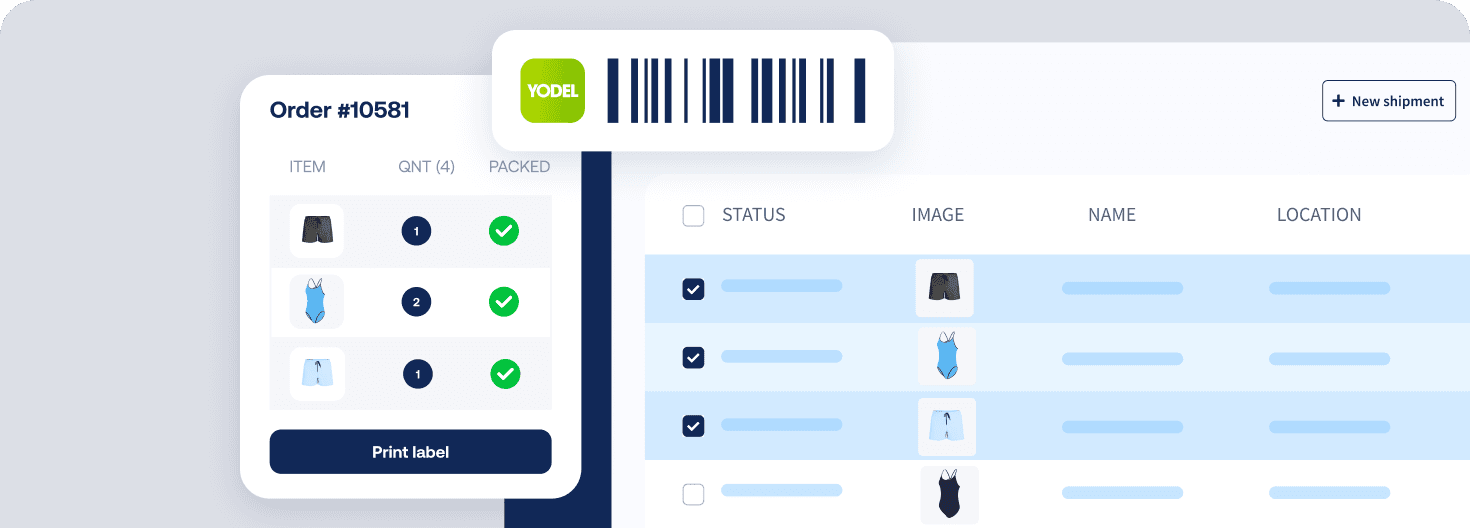
Deliver great experiences
Delight customers with branded tracking and easy service point pick-up.

Resolve shipping issues faster
See status updates in Lightspeed and fix shipping issues sooner.


WHAT OUR CUSTOMERS SAY
From hours to seconds
“Before Sendcloud, we used to waste hours each week manually typing in orders. Now, we can match up the order sheet with the labels in seconds.”

50%
faster order processing
90%
reduction in shipping errors
MULTI-CARRIER STRATEGY
Lightspeed shipping with the couriers your customers expect
Offer the right speed and price for every order with a multi-courier setup. Use discounted Sendcloud rates and switch services to stay reliable during peaks.



How long does setup take, and what do I need to connect Lightspeed?
You can connect your Lightspeed shop to Sendcloud in under 2 minutes, with no developer needed. Just install the Sendcloud app from your Lightspeed back office, grant access, and your Lightspeed shipping integration is ready to use. New orders import instantly and unfulfilled orders from the last 30 days sync into your Incoming orders.
Plan: You can start on the Free plan
Effort: No code, no changes to your product catalogue or taxes
Next step: Follow the quick guide in Connect Lightspeed to Sendcloud
Does this work with my version of Lightspeed?
Yes if you use Lightspeed Ecom. The app supports Lightspeed Ecom stores and is available in the UK. It does not support Lightspeed Omnichannel.
Markets: UK plus NL, BE, FR, ES, IT, DE, AT
Languages: English, Dutch, German, Spanish, French
Checkout: Works with the legacy and upgraded Lightspeed checkout for service point delivery
What features are supported with this integration?
When you connect your order and product data to Sendcloud, this Lightspeed shipping software automates fulfilment, tracking, and returns so you ship faster with fewer errors.
Instant order import: Webhook-based import, plus a scheduler for catch-up
Order sync window: Unfulfilled orders from the last 30 days sync on connection
Picking speed: EAN and SKU import for Pack & Go and SKU/EAN-based picking
Richer order data: Product images, line items, weight, order value, and buyer notes import
International ready: HS codes, country of origin, and ICS2 customs data import; create customs documents from Lightspeed orders
Checkout options: Service point delivery shown in your Lightspeed checkout
Automation: Shipping rules when labels are created
Multi-parcel: Ship multiple boxes per order with separate tracking for each
Status sync: Order marked shipped/fulfilled in Lightspeed when a label is created or on carrier scan
Lightspeed shipping tracking: Track and trace number and tracking link sent back to Lightspeed
Returns: Branded return portal for orders imported from Lightspeed
Labels: Automatically print shipping labels from your Lightspeed account
How does Lightspeed shipping tracking work for my customers?
As soon as you create a label in Sendcloud, the track and trace number and tracking link are sent back to Lightspeed. Your customers receive automated tracking messages and can follow their parcels in real time. That reduces WISMO and keeps support tickets down while giving you full visibility in one place.
Sync: Tracking number and link post to the order in Lightspeed
Notifications: Automated tracking emails keep shoppers updated
Coverage: Works for UK and cross-border shipments
Can I offer service point delivery in my Lightspeed checkout?
Yes. Enable service point delivery to let UK shoppers choose a nearby pickup location at checkout, improving conversion and reducing failed deliveries. Activate it in Sendcloud, then add the shipping method in your Lightspeed settings.
Activate in Sendcloud: Toggle Service points and select your couriers
Configure in Lightspeed: Add the service point shipping method and set visibility
Guide: See step-by-step instructions in Add service points to Lightspeed
Will this fit our workflow as we scale, from small volumes to busy peaks?
Yes. Whether you need Lightspeed shipping for small businesses or a growing retail operation, the integration scales with you. Automation replaces repetitive work and keeps orders in sync so you can ship more with the same team.
Faster picking: EAN/SKU import and product images reduce picking errors
Automation: Shipping rules apply services, insurance, and workflows automatically
High-volume ready: Instant imports plus scheduler ensure orders keep flowing
Flexibility: Multi-parcel shipments, service points, and international shipping support your Lightspeed retail shipping needs
Do I have to change couriers or commit to a paid plan to try it?
No. You can start on the Free plan and test the integration with real orders. You also get access to discounted rates and 170+ couriers through Sendcloud, and you can add more couriers and services as your Lightspeed shipping needs evolve. There is no lock-in to a single courier, and you can tailor options to your checkout and workflows.
Cost to start: Minimum Sendcloud plan is Free
Choice: Use discounted rates with 170+ couriers and expand your service mix over time
Control: Keep your existing checkout flow and shipping methods
How long does setup take, and what do I need to connect Lightspeed?
You can connect your Lightspeed shop to Sendcloud in under 2 minutes, with no developer needed. Just install the Sendcloud app from your Lightspeed back office, grant access, and your Lightspeed shipping integration is ready to use. New orders import instantly and unfulfilled orders from the last 30 days sync into your Incoming orders.
Plan: You can start on the Free plan
Effort: No code, no changes to your product catalogue or taxes
Next step: Follow the quick guide in Connect Lightspeed to Sendcloud
Does this work with my version of Lightspeed?
Yes if you use Lightspeed Ecom. The app supports Lightspeed Ecom stores and is available in the UK. It does not support Lightspeed Omnichannel.
Markets: UK plus NL, BE, FR, ES, IT, DE, AT
Languages: English, Dutch, German, Spanish, French
Checkout: Works with the legacy and upgraded Lightspeed checkout for service point delivery
What features are supported with this integration?
When you connect your order and product data to Sendcloud, this Lightspeed shipping software automates fulfilment, tracking, and returns so you ship faster with fewer errors.
Instant order import: Webhook-based import, plus a scheduler for catch-up
Order sync window: Unfulfilled orders from the last 30 days sync on connection
Picking speed: EAN and SKU import for Pack & Go and SKU/EAN-based picking
Richer order data: Product images, line items, weight, order value, and buyer notes import
International ready: HS codes, country of origin, and ICS2 customs data import; create customs documents from Lightspeed orders
Checkout options: Service point delivery shown in your Lightspeed checkout
Automation: Shipping rules when labels are created
Multi-parcel: Ship multiple boxes per order with separate tracking for each
Status sync: Order marked shipped/fulfilled in Lightspeed when a label is created or on carrier scan
Lightspeed shipping tracking: Track and trace number and tracking link sent back to Lightspeed
Returns: Branded return portal for orders imported from Lightspeed
Labels: Automatically print shipping labels from your Lightspeed account
How does Lightspeed shipping tracking work for my customers?
As soon as you create a label in Sendcloud, the track and trace number and tracking link are sent back to Lightspeed. Your customers receive automated tracking messages and can follow their parcels in real time. That reduces WISMO and keeps support tickets down while giving you full visibility in one place.
Sync: Tracking number and link post to the order in Lightspeed
Notifications: Automated tracking emails keep shoppers updated
Coverage: Works for UK and cross-border shipments
Can I offer service point delivery in my Lightspeed checkout?
Yes. Enable service point delivery to let UK shoppers choose a nearby pickup location at checkout, improving conversion and reducing failed deliveries. Activate it in Sendcloud, then add the shipping method in your Lightspeed settings.
Activate in Sendcloud: Toggle Service points and select your couriers
Configure in Lightspeed: Add the service point shipping method and set visibility
Guide: See step-by-step instructions in Add service points to Lightspeed
Will this fit our workflow as we scale, from small volumes to busy peaks?
Yes. Whether you need Lightspeed shipping for small businesses or a growing retail operation, the integration scales with you. Automation replaces repetitive work and keeps orders in sync so you can ship more with the same team.
Faster picking: EAN/SKU import and product images reduce picking errors
Automation: Shipping rules apply services, insurance, and workflows automatically
High-volume ready: Instant imports plus scheduler ensure orders keep flowing
Flexibility: Multi-parcel shipments, service points, and international shipping support your Lightspeed retail shipping needs
Do I have to change couriers or commit to a paid plan to try it?
No. You can start on the Free plan and test the integration with real orders. You also get access to discounted rates and 170+ couriers through Sendcloud, and you can add more couriers and services as your Lightspeed shipping needs evolve. There is no lock-in to a single courier, and you can tailor options to your checkout and workflows.
Cost to start: Minimum Sendcloud plan is Free
Choice: Use discounted rates with 170+ couriers and expand your service mix over time
Control: Keep your existing checkout flow and shipping methods
How long does setup take, and what do I need to connect Lightspeed?
You can connect your Lightspeed shop to Sendcloud in under 2 minutes, with no developer needed. Just install the Sendcloud app from your Lightspeed back office, grant access, and your Lightspeed shipping integration is ready to use. New orders import instantly and unfulfilled orders from the last 30 days sync into your Incoming orders.
Plan: You can start on the Free plan
Effort: No code, no changes to your product catalogue or taxes
Next step: Follow the quick guide in Connect Lightspeed to Sendcloud
Does this work with my version of Lightspeed?
Yes if you use Lightspeed Ecom. The app supports Lightspeed Ecom stores and is available in the UK. It does not support Lightspeed Omnichannel.
Markets: UK plus NL, BE, FR, ES, IT, DE, AT
Languages: English, Dutch, German, Spanish, French
Checkout: Works with the legacy and upgraded Lightspeed checkout for service point delivery
What features are supported with this integration?
When you connect your order and product data to Sendcloud, this Lightspeed shipping software automates fulfilment, tracking, and returns so you ship faster with fewer errors.
Instant order import: Webhook-based import, plus a scheduler for catch-up
Order sync window: Unfulfilled orders from the last 30 days sync on connection
Picking speed: EAN and SKU import for Pack & Go and SKU/EAN-based picking
Richer order data: Product images, line items, weight, order value, and buyer notes import
International ready: HS codes, country of origin, and ICS2 customs data import; create customs documents from Lightspeed orders
Checkout options: Service point delivery shown in your Lightspeed checkout
Automation: Shipping rules when labels are created
Multi-parcel: Ship multiple boxes per order with separate tracking for each
Status sync: Order marked shipped/fulfilled in Lightspeed when a label is created or on carrier scan
Lightspeed shipping tracking: Track and trace number and tracking link sent back to Lightspeed
Returns: Branded return portal for orders imported from Lightspeed
Labels: Automatically print shipping labels from your Lightspeed account
How does Lightspeed shipping tracking work for my customers?
As soon as you create a label in Sendcloud, the track and trace number and tracking link are sent back to Lightspeed. Your customers receive automated tracking messages and can follow their parcels in real time. That reduces WISMO and keeps support tickets down while giving you full visibility in one place.
Sync: Tracking number and link post to the order in Lightspeed
Notifications: Automated tracking emails keep shoppers updated
Coverage: Works for UK and cross-border shipments
Can I offer service point delivery in my Lightspeed checkout?
Yes. Enable service point delivery to let UK shoppers choose a nearby pickup location at checkout, improving conversion and reducing failed deliveries. Activate it in Sendcloud, then add the shipping method in your Lightspeed settings.
Activate in Sendcloud: Toggle Service points and select your couriers
Configure in Lightspeed: Add the service point shipping method and set visibility
Guide: See step-by-step instructions in Add service points to Lightspeed
Will this fit our workflow as we scale, from small volumes to busy peaks?
Yes. Whether you need Lightspeed shipping for small businesses or a growing retail operation, the integration scales with you. Automation replaces repetitive work and keeps orders in sync so you can ship more with the same team.
Faster picking: EAN/SKU import and product images reduce picking errors
Automation: Shipping rules apply services, insurance, and workflows automatically
High-volume ready: Instant imports plus scheduler ensure orders keep flowing
Flexibility: Multi-parcel shipments, service points, and international shipping support your Lightspeed retail shipping needs
Do I have to change couriers or commit to a paid plan to try it?
No. You can start on the Free plan and test the integration with real orders. You also get access to discounted rates and 170+ couriers through Sendcloud, and you can add more couriers and services as your Lightspeed shipping needs evolve. There is no lock-in to a single courier, and you can tailor options to your checkout and workflows.
Cost to start: Minimum Sendcloud plan is Free
Choice: Use discounted rates with 170+ couriers and expand your service mix over time
Control: Keep your existing checkout flow and shipping methods
Scale fulfilment with Lightspeed shipping software by Sendcloud
100+ integrations available
Discounted shipping rates
Cancel anytime
Scale fulfilment with Lightspeed shipping software by Sendcloud
100+ integrations available
Discounted shipping rates
Cancel anytime
Scale fulfilment with Lightspeed shipping software by Sendcloud
100+ integrations available
Discounted shipping rates
Cancel anytime
Product
Solutions
Integrations
© 2026 Sendcloud. All Rights Reserved
Chamber of Commerce: 66572959
VAT number: NL856613897B01
Product
Integrations
Solutions
Resources
© 2026 Sendcloud. All Rights Reserved
Chamber of Commerce: 66572959
VAT number: NL856613897B01
Product
© 2026 Sendcloud. All Rights Reserved
Chamber of Commerce: 66572959
VAT number: NL856613897B01