
Mirakl shipping integration to scale marketplace orders
Connect Mirakl to Sendcloud to centralise marketplace orders, automate fulfilment with 170+ couriers, and keep tracking and returns in sync as you grow.
100+ integrations available
Discounted shipping rates
Cancel anytime
4.6 Shopify App Store
4.6 G2
4.3 Trustpilot


Why Mirakl merchants choose Sendcloud
Smart shipping with Mirakl
As you add Mirakl marketplaces, keeping shipping consistent across channels and countries gets harder. Sendcloud links Mirakl to a wide courier network, pulls orders into one workflow, and syncs statuses and returns so you scale faster without extra headcount.

Connect 300+ Mirakl marketplaces to 170+ couriers
Sync order status, tracking, and returns between systems
Centralise multi-marketplace operations via Mirakl Connect
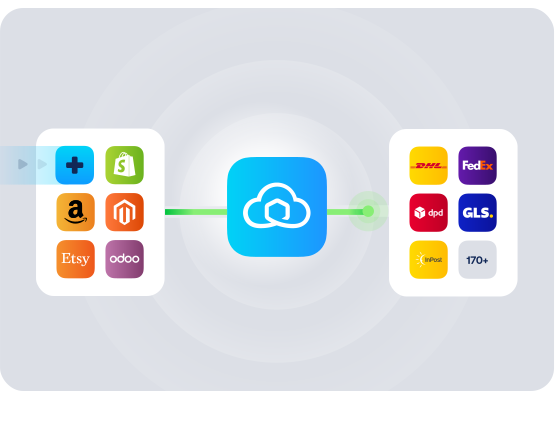
HOW TO CONNECT
A simple 3-step flow:
Run your shipping operations from one place.
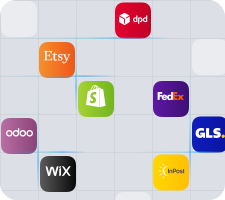
Connect your platforms and systems
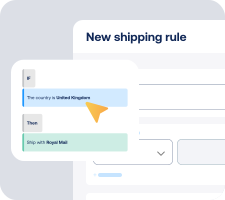
Choose couriers and automate shipping rules

Manage shipping, tracking, and returns in one platform

Get the most out of Mirakl with Sendcloud
Grow your business
Expand to new UK and EU marketplaces without adding headcount.

Ship more efficiently
Consolidate Mirakl orders and ship with 170+ couriers from one hub.
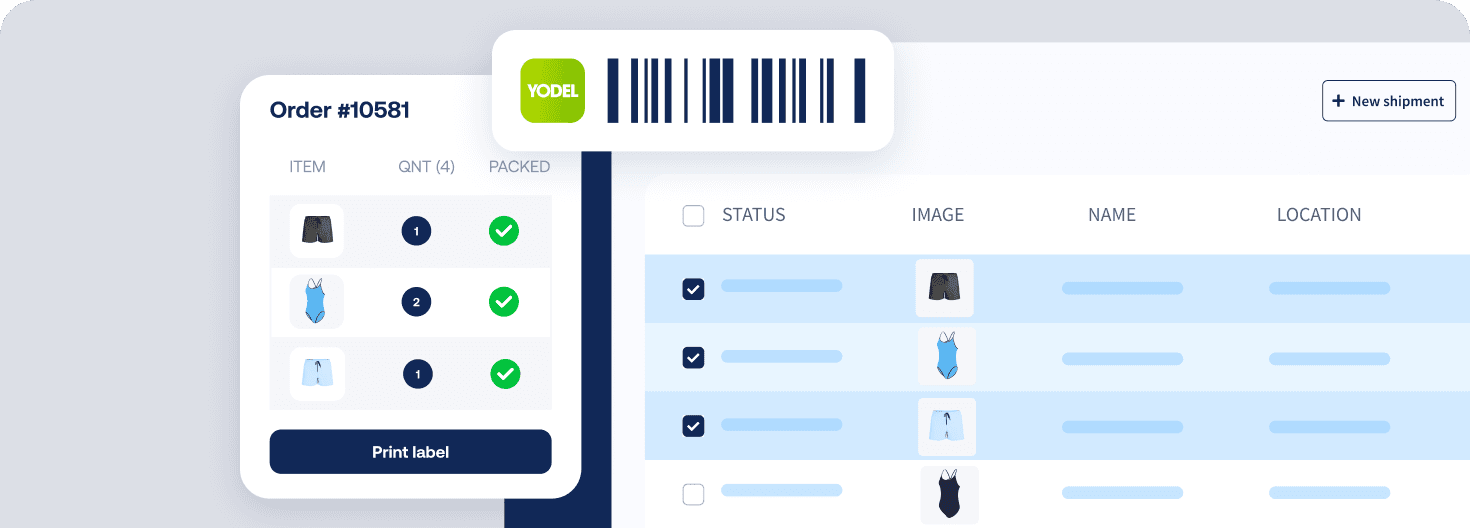
Deliver great experiences
Send timely tracking and offer easy returns across every marketplace.

Resolve shipping issues faster
Sync cancellations and refunds so support teams close tickets sooner.


WHAT OUR CUSTOMERS SAY
From hours to seconds
“Before Sendcloud, we used to waste hours each week manually typing in orders. Now, we can match up the order sheet with the labels in seconds.”

50%
faster order processing
90%
reduction in shipping errors
MULTI-CARRIER STRATEGY
Mirakl shipping with the couriers your customers expect
Across Mirakl marketplaces, offer the right options by tapping into 170+ couriers. Mix economy, next day, and cross-border delivery in one flow to lift conversion and stay flexible.



How quickly can I set up the Mirakl shipping integration?
Most teams connect in minutes with no developer work. Go to Settings > Integrations in Sendcloud, find Mirakl, and click connect. New orders import automatically, either instantly via webhook or on a short schedule if you are not actively using Sendcloud.
I sell on several Mirakl marketplaces. Will one connection cover them, or do I need Mirakl Connect?
If you sell on a single marketplace, use the standard Mirakl integration. If you sell across multiple marketplaces, use Mirakl Connect to manage them all in one go. You can import orders from all channels or only selected marketplaces, and you can map your couriers so the right service name appears in Mirakl.
What features are supported with Sendcloud's Mirakl integration?
When you connect your Mirakl marketplace integration to Sendcloud, you can automate shipping, keep data in sync, and streamline returns across the UK and beyond.
Fast order import: Webhook import for instant syncing, plus scheduled import when inactive
Backfill: Unfulfilled orders from the last 30 days sync on connection
Order updates: Changes to unprocessed orders sync to Sendcloud
Status sync: When you create a label or a courier scans the parcel, Mirakl updates to shipped or fulfilled
Product data: Item SKUs, parcel items, weight, total order value, and multi-currency import
Customs data: HS codes, country of origin, shipment type, and invoice number import with defaults
Checkout method: Import the marketplace checkout method for precise shipping rules
Shipping rules: Auto-assign services when you create labels, including rules per marketplace
Returns: Branded Return Portal for buyers, with return feedback sent back to Mirakl (optional refund sync)
Flexible field mapping: Map key fields to match your Mirakl setup
Mark received: For specific operators, delivered or collected shipments can be marked as received in the marketplace
Do I need to change my couriers or how I ship in the UK?
No. Keep your current workflow and scale it. Sendcloud connects you to 170+ couriers, including popular UK options, so you can choose the right service per marketplace. Use shipping rules with the imported checkout method to auto-select the correct service for each channel. For cross-border orders, your HS codes and country of origin can import automatically to speed up customs paperwork.
How are orders, labels, tracking, and returns handled between Mirakl and Sendcloud?
Orders import automatically and appear in Shipping > Orders > Incoming order overview. Create labels from there. Once a label is created or the courier scans the parcel, Mirakl updates to the shipped or fulfilled status. You can edit orders until a label exists.
Tracking: Tracking numbers are generated with the label and you can send branded notifications
Returns: Buyers use your Sendcloud Return Portal. If you enable return synchronisation, Mirakl can receive return feedback and create a refund automatically with a default reason
What is the commitment to get started and can I switch it off if needed?
You can start on the Free Sendcloud plan and the Mirakl integration is available in the UK. There is no developer work and you can disconnect the integration at any time. Configuration is a one-time setup that includes basic courier mapping and, if you ship internationally, optional customs defaults.
How quickly can I set up the Mirakl shipping integration?
Most teams connect in minutes with no developer work. Go to Settings > Integrations in Sendcloud, find Mirakl, and click connect. New orders import automatically, either instantly via webhook or on a short schedule if you are not actively using Sendcloud.
I sell on several Mirakl marketplaces. Will one connection cover them, or do I need Mirakl Connect?
If you sell on a single marketplace, use the standard Mirakl integration. If you sell across multiple marketplaces, use Mirakl Connect to manage them all in one go. You can import orders from all channels or only selected marketplaces, and you can map your couriers so the right service name appears in Mirakl.
What features are supported with Sendcloud's Mirakl integration?
When you connect your Mirakl marketplace integration to Sendcloud, you can automate shipping, keep data in sync, and streamline returns across the UK and beyond.
Fast order import: Webhook import for instant syncing, plus scheduled import when inactive
Backfill: Unfulfilled orders from the last 30 days sync on connection
Order updates: Changes to unprocessed orders sync to Sendcloud
Status sync: When you create a label or a courier scans the parcel, Mirakl updates to shipped or fulfilled
Product data: Item SKUs, parcel items, weight, total order value, and multi-currency import
Customs data: HS codes, country of origin, shipment type, and invoice number import with defaults
Checkout method: Import the marketplace checkout method for precise shipping rules
Shipping rules: Auto-assign services when you create labels, including rules per marketplace
Returns: Branded Return Portal for buyers, with return feedback sent back to Mirakl (optional refund sync)
Flexible field mapping: Map key fields to match your Mirakl setup
Mark received: For specific operators, delivered or collected shipments can be marked as received in the marketplace
Do I need to change my couriers or how I ship in the UK?
No. Keep your current workflow and scale it. Sendcloud connects you to 170+ couriers, including popular UK options, so you can choose the right service per marketplace. Use shipping rules with the imported checkout method to auto-select the correct service for each channel. For cross-border orders, your HS codes and country of origin can import automatically to speed up customs paperwork.
How are orders, labels, tracking, and returns handled between Mirakl and Sendcloud?
Orders import automatically and appear in Shipping > Orders > Incoming order overview. Create labels from there. Once a label is created or the courier scans the parcel, Mirakl updates to the shipped or fulfilled status. You can edit orders until a label exists.
Tracking: Tracking numbers are generated with the label and you can send branded notifications
Returns: Buyers use your Sendcloud Return Portal. If you enable return synchronisation, Mirakl can receive return feedback and create a refund automatically with a default reason
What is the commitment to get started and can I switch it off if needed?
You can start on the Free Sendcloud plan and the Mirakl integration is available in the UK. There is no developer work and you can disconnect the integration at any time. Configuration is a one-time setup that includes basic courier mapping and, if you ship internationally, optional customs defaults.
How quickly can I set up the Mirakl shipping integration?
Most teams connect in minutes with no developer work. Go to Settings > Integrations in Sendcloud, find Mirakl, and click connect. New orders import automatically, either instantly via webhook or on a short schedule if you are not actively using Sendcloud.
I sell on several Mirakl marketplaces. Will one connection cover them, or do I need Mirakl Connect?
If you sell on a single marketplace, use the standard Mirakl integration. If you sell across multiple marketplaces, use Mirakl Connect to manage them all in one go. You can import orders from all channels or only selected marketplaces, and you can map your couriers so the right service name appears in Mirakl.
What features are supported with Sendcloud's Mirakl integration?
When you connect your Mirakl marketplace integration to Sendcloud, you can automate shipping, keep data in sync, and streamline returns across the UK and beyond.
Fast order import: Webhook import for instant syncing, plus scheduled import when inactive
Backfill: Unfulfilled orders from the last 30 days sync on connection
Order updates: Changes to unprocessed orders sync to Sendcloud
Status sync: When you create a label or a courier scans the parcel, Mirakl updates to shipped or fulfilled
Product data: Item SKUs, parcel items, weight, total order value, and multi-currency import
Customs data: HS codes, country of origin, shipment type, and invoice number import with defaults
Checkout method: Import the marketplace checkout method for precise shipping rules
Shipping rules: Auto-assign services when you create labels, including rules per marketplace
Returns: Branded Return Portal for buyers, with return feedback sent back to Mirakl (optional refund sync)
Flexible field mapping: Map key fields to match your Mirakl setup
Mark received: For specific operators, delivered or collected shipments can be marked as received in the marketplace
Do I need to change my couriers or how I ship in the UK?
No. Keep your current workflow and scale it. Sendcloud connects you to 170+ couriers, including popular UK options, so you can choose the right service per marketplace. Use shipping rules with the imported checkout method to auto-select the correct service for each channel. For cross-border orders, your HS codes and country of origin can import automatically to speed up customs paperwork.
How are orders, labels, tracking, and returns handled between Mirakl and Sendcloud?
Orders import automatically and appear in Shipping > Orders > Incoming order overview. Create labels from there. Once a label is created or the courier scans the parcel, Mirakl updates to the shipped or fulfilled status. You can edit orders until a label exists.
Tracking: Tracking numbers are generated with the label and you can send branded notifications
Returns: Buyers use your Sendcloud Return Portal. If you enable return synchronisation, Mirakl can receive return feedback and create a refund automatically with a default reason
What is the commitment to get started and can I switch it off if needed?
You can start on the Free Sendcloud plan and the Mirakl integration is available in the UK. There is no developer work and you can disconnect the integration at any time. Configuration is a one-time setup that includes basic courier mapping and, if you ship internationally, optional customs defaults.
Power marketplace growth with the Mirakl shipping integration
100+ integrations available
Discounted shipping rates
Cancel anytime
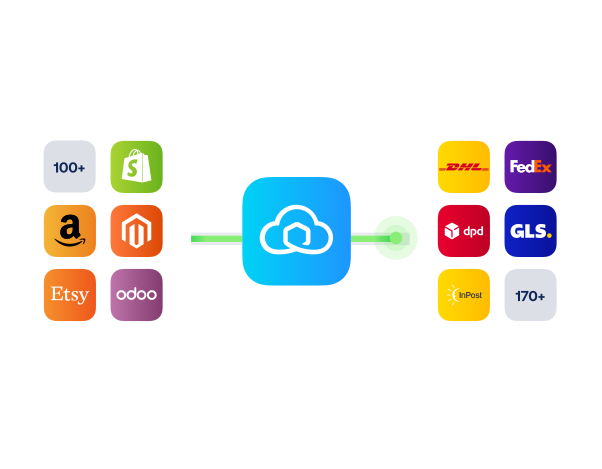
Power marketplace growth with the Mirakl shipping integration
100+ integrations available
Discounted shipping rates
Cancel anytime
Power marketplace growth with the Mirakl shipping integration
100+ integrations available
Discounted shipping rates
Cancel anytime
Product
Solutions
Integrations
© 2026 Sendcloud. All Rights Reserved
Chamber of Commerce: 66572959
VAT number: NL856613897B01
Product
Integrations
Solutions
Resources
© 2026 Sendcloud. All Rights Reserved
Chamber of Commerce: 66572959
VAT number: NL856613897B01
Product
© 2026 Sendcloud. All Rights Reserved
Chamber of Commerce: 66572959
VAT number: NL856613897B01