Shopware shipping integration to automate delivery
Connect Shopware to Sendcloud to streamline fulfilment, add 170+ couriers, and offer delivery choices that improve checkout and margins as you grow.
100+ integrations available
Discounted shipping rates
Cancel anytime
4.6 Shopify App Store
4.6 G2
4.3 Trustpilot


Why Shopware merchants choose Sendcloud
Smart shipping with Shopware
As Shopware orders climb, shipping across the UK can drain time and margin. Sendcloud connects to Shopware to import orders, sync delivery statuses, and enable service point delivery. Automate fulfilment and scale without headcount.

Auto-pull Shopware orders into one dashboard
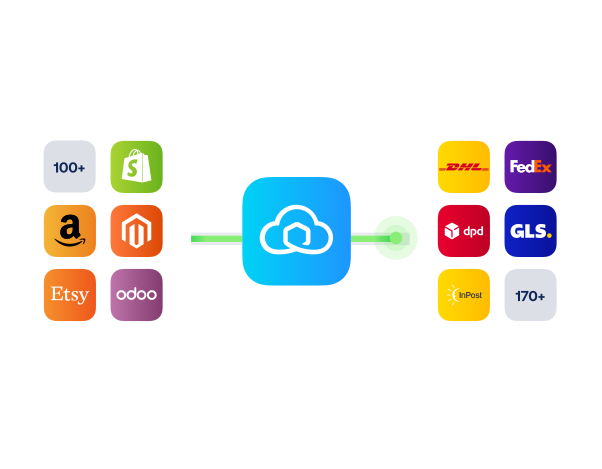
Create labels in batches for 170+ couriers
Keep Shopware and Sendcloud delivery info aligned
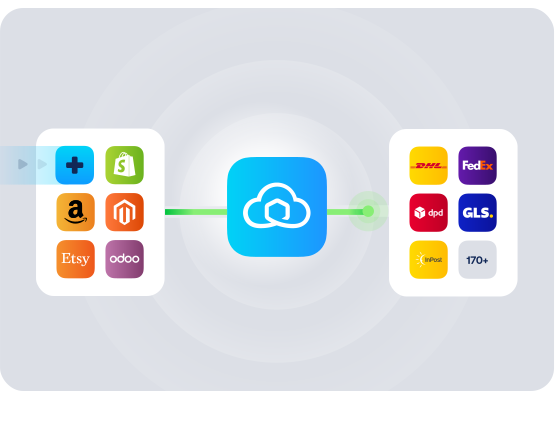
HOW TO CONNECT
A simple 3-step flow:
Run your shipping operations from one place.
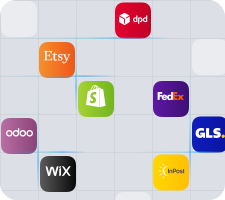
Connect your platforms and systems
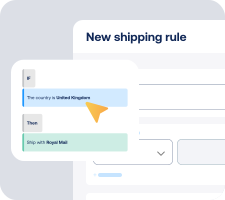
Choose couriers and automate shipping rules

Manage shipping, tracking, and returns in one platform

Get the most out of Shopware with Sendcloud
Grow your business
Scale from the UK to Europe using multi-courier delivery via Shopware.

Ship more efficiently
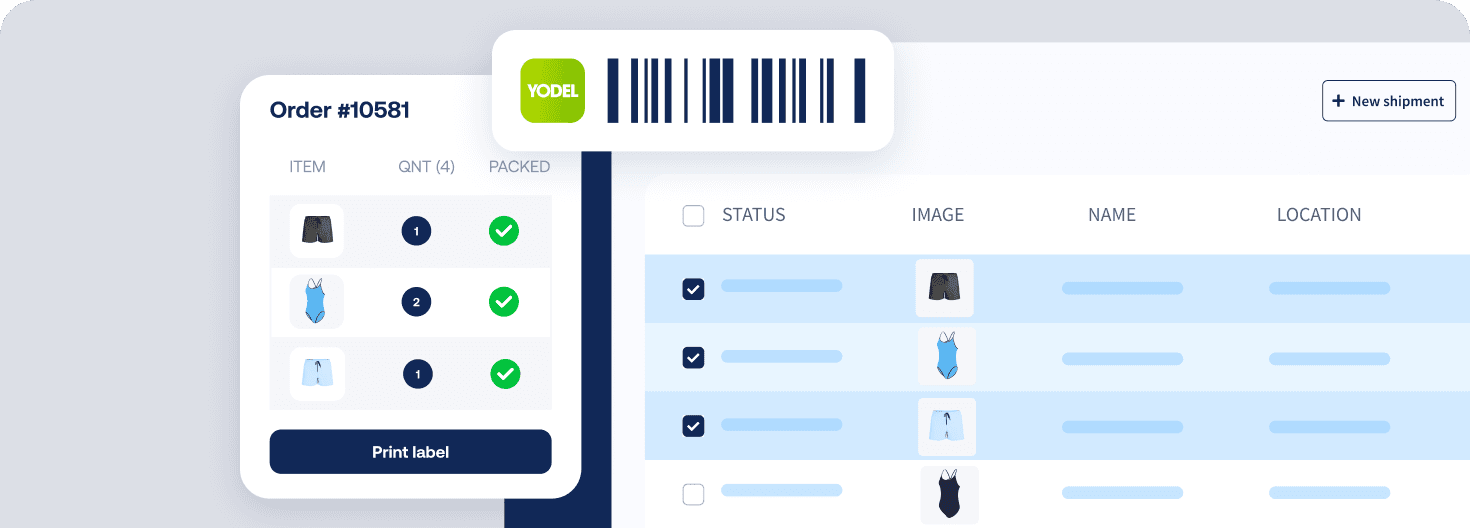
Batch-print labels and cut pick-pack time across Shopware orders.
Deliver great experiences
Offer next-day, same-day, and service point delivery at checkout.

Resolve shipping issues faster
See live delivery updates in Shopware to resolve queries quickly.


WHAT OUR CUSTOMERS SAY
From hours to seconds
“Before Sendcloud, we used to waste hours each week manually typing in orders. Now, we can match up the order sheet with the labels in seconds.”

50%
faster order processing
90%
reduction in shipping errors
MULTI-CARRIER STRATEGY
Shopware shipping with the couriers your customers expect
Convert more at checkout by offering a range of delivery options. Use a broad courier network with Sendcloud rates or upload your own, then ship, track, and handle returns from one place.



How long will it take me to connect the Shopware shipping integration?
Most UK shops connect in under 10 minutes. You install the plugin, activate it, then log in to link your Sendcloud account. After that, your Shopware orders import automatically.
Install the Sendcloud plugin from the Shopware Store
Activate it in your Shopware backend
Click Login or create your free Sendcloud account and connect
Optional: enable Service Points and choose couriers to show in checkout
Step-by-step guides are available for your version: Follow the Shopware 6 setup guide or Follow the Shopware 6 Cloud setup guide. For older stores, see Shopware 5 integration.
Will this Shopware integration work with my version and UK checkout?
Yes. The plugin supports Shopware 6, Shopware 6 Cloud, and Shopware 5, and is available in the UK.
Versions: Works with Shopware 6, Shopware 6 Cloud, and Shopware 5
Checkout: Adds a Service Point Delivery method so customers can choose a local pick-up point
Languages: English, Dutch, German, Spanish, French, Italian, and more
Status sync: Sendcloud updates the delivery status in Shopware. Order and payment statuses stay managed in Shopware
What features are supported with this integration?
When you connect your order and product data to Sendcloud, you can automate routine shipping work, expand delivery choice at checkout, and manage tracking and returns from one platform.
Automatic order import from Shopware
Bulk label printing for 170+ couriers
Delivery options at checkout, including same-day, next-day, and a service point map for local pick-up
Tracking messages to keep customers informed
Returns management via a self-service return portal
Delivery status sync back to Shopware
Customs data mapping for HS codes and origin country for international shipping
Will anything in my current shipping setup change when I switch it on?
No. The plugin installs alongside your existing setup and does not overwrite your current shipping methods or rates.
It adds an Order menu item and a Service Point Delivery shipping method you can enable and price like any other method
You decide which new delivery options to show in checkout, per Sales Channel if you use Shopware 6 Cloud
You can extend delivery choice using Sendcloud’s 170+ couriers without changing your product catalogue or theme
If you ever need to remove it, simply uninstall the plugin in Shopware and disconnect the integration in Sendcloud settings.
Can it handle peak volume and flexible delivery options as we scale?
Yes. The Shopware shipping integration is built for growing order volumes and broader delivery choice.
High throughput with bulk label printing and automatic order import
Flexible delivery: same-day, next-day, standard, and service point pick-up
170+ couriers give you coverage for UK domestic and international shipping
Multi-market ready: available in the UK, NL, BE, FR, ES, IT, DE, and AT with multi-language support
What does it cost to start, and am I tied into a contract?
You can connect on the Free Sendcloud plan to get started. The Shopware app installs from the Shopware Store, and your Shopware plan is managed separately.
Start free: connect your Shopware store and begin shipping on a Free plan
No code changes: install, configure, and go live in minutes
You stay in control: disconnect the integration in Sendcloud settings and uninstall the plugin in Shopware at any time
See the app listing here: Sendcloud app in the Shopware Store. Shopware platform pricing is listed at Shopware pricing.
How do I enable service point delivery in my Shopware checkout?
Enable Service Points in Sendcloud, then activate the Service Point Delivery shipping method in Shopware.
In Sendcloud go to Settings > Integrations, open your Shopware shop, tick Service Points, then select the couriers you want to offer
In Shopware open Shipping methods, edit Service Point Delivery, set your pricing, activate it, and assign it to the right Sales Channels
Follow the full step-by-step for your version: Enable Service Points for Shopware 6.
How long will it take me to connect the Shopware shipping integration?
Most UK shops connect in under 10 minutes. You install the plugin, activate it, then log in to link your Sendcloud account. After that, your Shopware orders import automatically.
Install the Sendcloud plugin from the Shopware Store
Activate it in your Shopware backend
Click Login or create your free Sendcloud account and connect
Optional: enable Service Points and choose couriers to show in checkout
Step-by-step guides are available for your version: Follow the Shopware 6 setup guide or Follow the Shopware 6 Cloud setup guide. For older stores, see Shopware 5 integration.
Will this Shopware integration work with my version and UK checkout?
Yes. The plugin supports Shopware 6, Shopware 6 Cloud, and Shopware 5, and is available in the UK.
Versions: Works with Shopware 6, Shopware 6 Cloud, and Shopware 5
Checkout: Adds a Service Point Delivery method so customers can choose a local pick-up point
Languages: English, Dutch, German, Spanish, French, Italian, and more
Status sync: Sendcloud updates the delivery status in Shopware. Order and payment statuses stay managed in Shopware
What features are supported with this integration?
When you connect your order and product data to Sendcloud, you can automate routine shipping work, expand delivery choice at checkout, and manage tracking and returns from one platform.
Automatic order import from Shopware
Bulk label printing for 170+ couriers
Delivery options at checkout, including same-day, next-day, and a service point map for local pick-up
Tracking messages to keep customers informed
Returns management via a self-service return portal
Delivery status sync back to Shopware
Customs data mapping for HS codes and origin country for international shipping
Will anything in my current shipping setup change when I switch it on?
No. The plugin installs alongside your existing setup and does not overwrite your current shipping methods or rates.
It adds an Order menu item and a Service Point Delivery shipping method you can enable and price like any other method
You decide which new delivery options to show in checkout, per Sales Channel if you use Shopware 6 Cloud
You can extend delivery choice using Sendcloud’s 170+ couriers without changing your product catalogue or theme
If you ever need to remove it, simply uninstall the plugin in Shopware and disconnect the integration in Sendcloud settings.
Can it handle peak volume and flexible delivery options as we scale?
Yes. The Shopware shipping integration is built for growing order volumes and broader delivery choice.
High throughput with bulk label printing and automatic order import
Flexible delivery: same-day, next-day, standard, and service point pick-up
170+ couriers give you coverage for UK domestic and international shipping
Multi-market ready: available in the UK, NL, BE, FR, ES, IT, DE, and AT with multi-language support
What does it cost to start, and am I tied into a contract?
You can connect on the Free Sendcloud plan to get started. The Shopware app installs from the Shopware Store, and your Shopware plan is managed separately.
Start free: connect your Shopware store and begin shipping on a Free plan
No code changes: install, configure, and go live in minutes
You stay in control: disconnect the integration in Sendcloud settings and uninstall the plugin in Shopware at any time
See the app listing here: Sendcloud app in the Shopware Store. Shopware platform pricing is listed at Shopware pricing.
How do I enable service point delivery in my Shopware checkout?
Enable Service Points in Sendcloud, then activate the Service Point Delivery shipping method in Shopware.
In Sendcloud go to Settings > Integrations, open your Shopware shop, tick Service Points, then select the couriers you want to offer
In Shopware open Shipping methods, edit Service Point Delivery, set your pricing, activate it, and assign it to the right Sales Channels
Follow the full step-by-step for your version: Enable Service Points for Shopware 6.
How long will it take me to connect the Shopware shipping integration?
Most UK shops connect in under 10 minutes. You install the plugin, activate it, then log in to link your Sendcloud account. After that, your Shopware orders import automatically.
Install the Sendcloud plugin from the Shopware Store
Activate it in your Shopware backend
Click Login or create your free Sendcloud account and connect
Optional: enable Service Points and choose couriers to show in checkout
Step-by-step guides are available for your version: Follow the Shopware 6 setup guide or Follow the Shopware 6 Cloud setup guide. For older stores, see Shopware 5 integration.
Will this Shopware integration work with my version and UK checkout?
Yes. The plugin supports Shopware 6, Shopware 6 Cloud, and Shopware 5, and is available in the UK.
Versions: Works with Shopware 6, Shopware 6 Cloud, and Shopware 5
Checkout: Adds a Service Point Delivery method so customers can choose a local pick-up point
Languages: English, Dutch, German, Spanish, French, Italian, and more
Status sync: Sendcloud updates the delivery status in Shopware. Order and payment statuses stay managed in Shopware
What features are supported with this integration?
When you connect your order and product data to Sendcloud, you can automate routine shipping work, expand delivery choice at checkout, and manage tracking and returns from one platform.
Automatic order import from Shopware
Bulk label printing for 170+ couriers
Delivery options at checkout, including same-day, next-day, and a service point map for local pick-up
Tracking messages to keep customers informed
Returns management via a self-service return portal
Delivery status sync back to Shopware
Customs data mapping for HS codes and origin country for international shipping
Will anything in my current shipping setup change when I switch it on?
No. The plugin installs alongside your existing setup and does not overwrite your current shipping methods or rates.
It adds an Order menu item and a Service Point Delivery shipping method you can enable and price like any other method
You decide which new delivery options to show in checkout, per Sales Channel if you use Shopware 6 Cloud
You can extend delivery choice using Sendcloud’s 170+ couriers without changing your product catalogue or theme
If you ever need to remove it, simply uninstall the plugin in Shopware and disconnect the integration in Sendcloud settings.
Can it handle peak volume and flexible delivery options as we scale?
Yes. The Shopware shipping integration is built for growing order volumes and broader delivery choice.
High throughput with bulk label printing and automatic order import
Flexible delivery: same-day, next-day, standard, and service point pick-up
170+ couriers give you coverage for UK domestic and international shipping
Multi-market ready: available in the UK, NL, BE, FR, ES, IT, DE, and AT with multi-language support
What does it cost to start, and am I tied into a contract?
You can connect on the Free Sendcloud plan to get started. The Shopware app installs from the Shopware Store, and your Shopware plan is managed separately.
Start free: connect your Shopware store and begin shipping on a Free plan
No code changes: install, configure, and go live in minutes
You stay in control: disconnect the integration in Sendcloud settings and uninstall the plugin in Shopware at any time
See the app listing here: Sendcloud app in the Shopware Store. Shopware platform pricing is listed at Shopware pricing.
How do I enable service point delivery in my Shopware checkout?
Enable Service Points in Sendcloud, then activate the Service Point Delivery shipping method in Shopware.
In Sendcloud go to Settings > Integrations, open your Shopware shop, tick Service Points, then select the couriers you want to offer
In Shopware open Shipping methods, edit Service Point Delivery, set your pricing, activate it, and assign it to the right Sales Channels
Follow the full step-by-step for your version: Enable Service Points for Shopware 6.
Automate delivery and cut costs with Sendcloud's Shopware integration
100+ integrations available
Discounted shipping rates
Cancel anytime
Automate delivery and cut costs with Sendcloud's Shopware integration
100+ integrations available
Discounted shipping rates
Cancel anytime
Automate delivery and cut costs with Sendcloud's Shopware integration
100+ integrations available
Discounted shipping rates
Cancel anytime
Product
Solutions
Integrations
© 2026 Sendcloud. All Rights Reserved
Chamber of Commerce: 66572959
VAT number: NL856613897B01
Product
Integrations
Solutions
Resources
© 2026 Sendcloud. All Rights Reserved
Chamber of Commerce: 66572959
VAT number: NL856613897B01
Product
© 2026 Sendcloud. All Rights Reserved
Chamber of Commerce: 66572959
VAT number: NL856613897B01